When people search for a place to write online, they usually land on one of two options: an online note-taking tool or a traditional notepad app. Both capture text, but they are built for different moments in the writing process.
Understanding the distinction helps you choose the right tool for the task and avoid frustration caused by mismatched expectations.
What Is an Online Note-Taking Tool?
An online note-taking tool is a browser-based application designed for capturing, organizing, and sometimes sharing written content. These tools typically offer cloud storage, multi-device syncing, and organizational features such as folders, tags, and search.
Many combine writing with project management, collaboration, or rich media. They are designed for people who need a persistent, organized, and accessible note library.
What Is a Notepad App?
A notepad app is intentionally simpler. It provides a clean writing surface without the overhead of account management, cloud syncing, or a complex organizational structure.
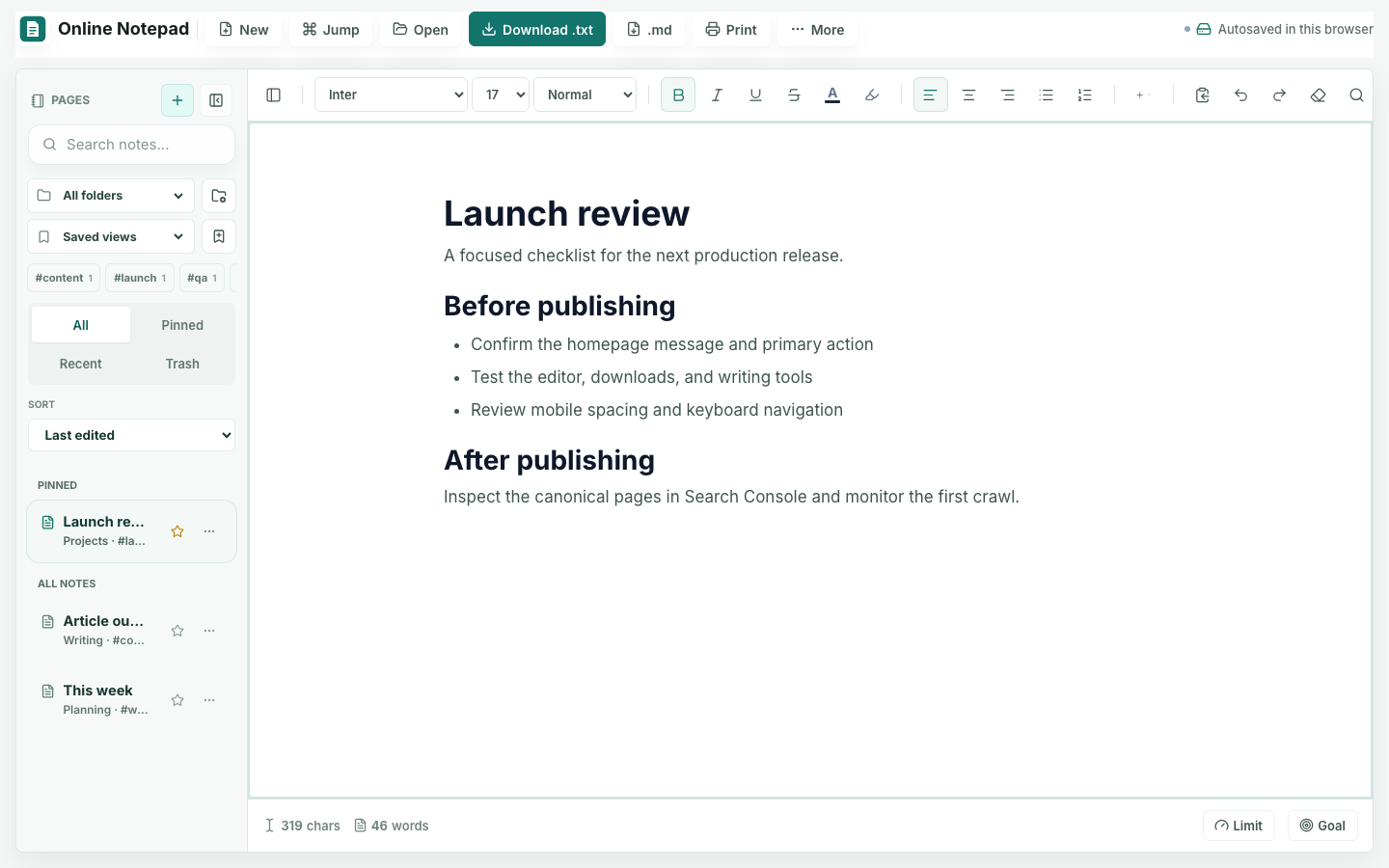
The Notepad App opens directly in your browser without a sign-up or syncing layer. It includes local folders, tags, saved views, and notebook search, but that organization remains in the current browser profile until you download a note or export a backup.
The Differences That Matter
The useful comparison is not feature count. It is scope, complexity, and intent:
- Setup time: A notepad requires almost no setup. A note platform usually requires an account and onboarding.
- Storage: A local-first notepad can use browser storage or downloaded files. A note platform normally stores and syncs content through cloud services.
- Organization: Full platforms organize a synchronized library. This notepad provides folders, tags, saved views, and search within one browser profile.
- Collaboration: Full platforms may support real-time teamwork. A simple notepad is usually a single-user writing surface.
- Data handling: This notepad release does not upload note content. Cloud note tools necessarily involve server-side storage or processing.
| Workflow Need | Online Notepad | Full Note Platform |
|---|---|---|
| Capture a thought now | Excellent fit with almost no setup | Works, but may add navigation and filing decisions |
| Organize a working session | Useful for local folders, tags, and search | Useful when the structure must sync and grow |
| Collaborate live | Not the intended responsibility | The appropriate choice when permissions and comments matter |
| Move the result elsewhere | Direct TXT, Markdown, print, or notebook export | Often relies on platform export and sharing controls |
| Maintain a knowledge base | Too narrow for a durable organizational system | Designed for persistent, connected information |
When to Choose a Notepad App
A notepad is the right choice when you need a fast surface such as the online notepad, or when the next step is a focused workflow such as meeting notes or a quick outline.
Choose a simple notepad when you need to:
- Capture an idea without creating an account
- Draft temporary text that will move somewhere else
- Open or export a plain text file
- Write without feature-heavy navigation
- Keep a working draft in the current browser profile
When to Choose a Full Note Platform
A larger online note-taking tool earns its complexity when you need to:
- Maintain a searchable library over time
- Access notes across multiple devices
- Collaborate on shared documents
- Organize content with tags, folders, or databases
- Embed media and structured content within notes
The Bottom Line
Neither category is inherently better. If you need speed, simplicity, and local browser save for a working draft, a notepad is efficient. If you need durable cloud storage, organization, and collaboration, a full note-taking platform is more appropriate.
Match the tool to the task. Do not use a complex system for a temporary note, and do not rely on a simple scratchpad for a long-term knowledge base. The Notepad Help guide explains saving, exporting, browser storage, and which companion tool fits each job.
A practical boundary is responsibility. Once another person depends on the note, it needs approval history, or losing it would disrupt important work, move it into a system designed for that responsibility. Until then, a lightweight surface can keep capture and early drafting pleasantly direct.

